Download P77Play – Start Winning Today
Available on Android & iOS. Free to download. ₹0 subscription — just install, register and claim your welcome bonus.
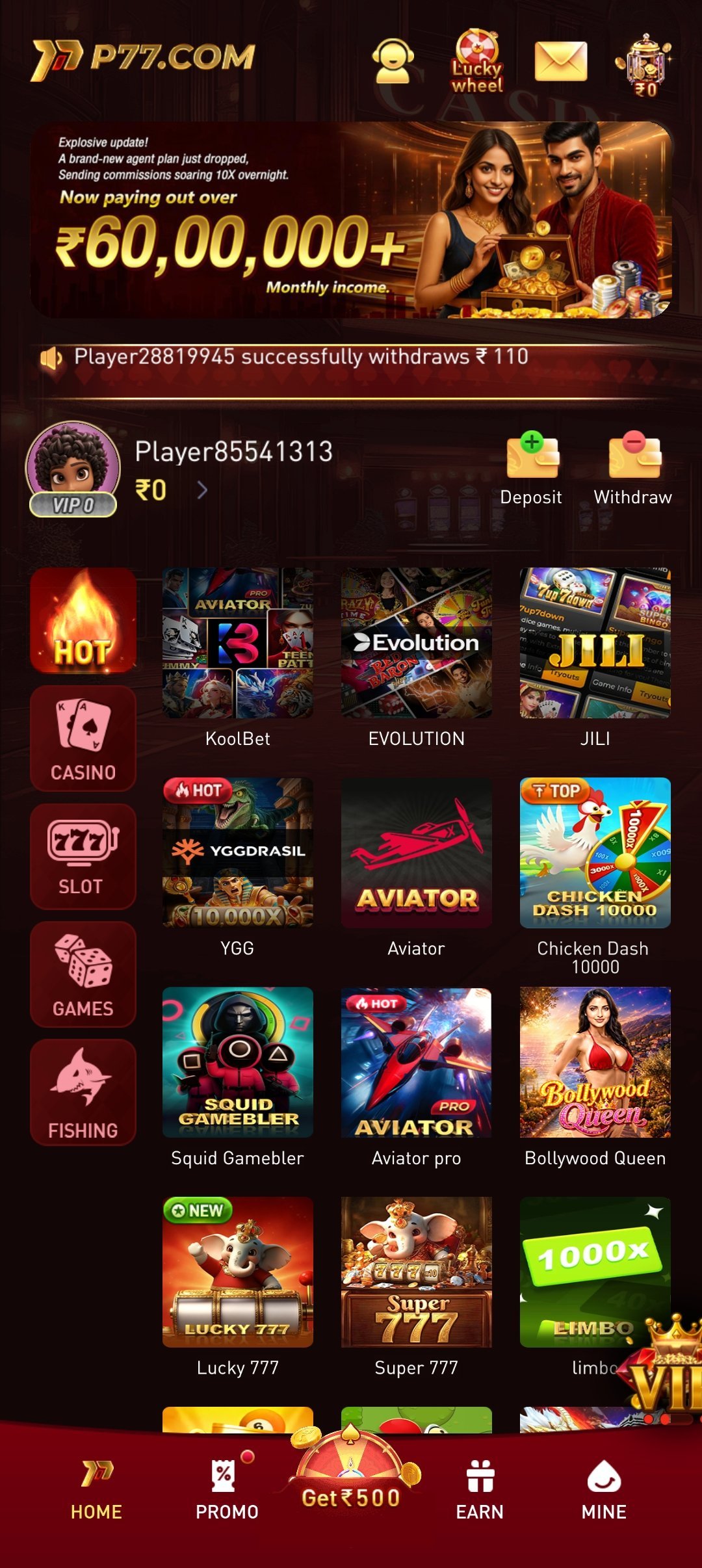
Choose Your Platform
Download Options


Direct Distribution
Why Download Directly From Us
Real-money gaming apps like P77Play are generally not permitted on the Google Play Store because of policy restrictions on real-cash gambling-style titles in most regions, including India. That's why almost every established gaming platform — not just P77Play — distributes its Android app as a direct APK file rather than through an app store listing. It's the standard, expected route in this category, not a workaround.
Sideloading simply means installing an app from outside the Play Store, and Android asks you to flip an "install unknown apps" permission the first time you do it. That toggle isn't a warning that something is wrong — it's Android's way of confirming you know where the file came from. As long as you download the APK from p77play.net or our official Telegram channel, and not from a mirror site or a link forwarded by someone else, the process is exactly as safe as installing any app from an app store.
We push updates on a rolling basis whenever we add new games, improve performance or patch security issues, typically every few weeks. Because we control distribution directly, updates reach you the moment they're ready rather than waiting on a third-party review process. Keep an eye on our Telegram channel for update announcements, and always grab new versions from this same page.
Android APK
Step-by-Step Install Guide
- 1
Download the APK
Tap the “Download APK” button above to save the P77Play
.apkfile to your phone. - 2
Enable Unknown Sources
Open Settings → Security (or Apps) → enable “Install unknown apps” for your browser or file manager.
- 3
Open the APK File
Go to your Downloads folder and tap the downloaded
p77play.apkfile. - 4
Tap Install
Confirm and tap Install. Wait a few seconds for the installation to complete.
- 5
Register & Claim Your Bonus
Open P77Play, create your account and claim your welcome bonus to start playing.
Compatibility
Which Device Do You Have?
P77Play runs comfortably on almost any Android phone sold in India in the last several years. If your device is below Android 5.0 or has less than 2GB of RAM, the installer may refuse to run, or the app may install but feel sluggish and occasionally crash — in that case, check for a system software update from your phone's manufacturer before trying again.
The app itself is a light 50MB download, but Android needs a bit of breathing room to unpack and install it, so keep at least 200–300MB of free storage available for a smooth install and for future updates. If your phone is nearly full, clear your browser cache or remove unused apps first.
P77Play is designed and tested primarily for phone-sized screens. It will also install and run on most Android tablets, but the layout is optimised for a phone's portrait view, so some screens may appear stretched or scaled on larger tablet displays.
| Feature | Android | iOS |
|---|---|---|
| OS Version | Android 5.0+ | iOS 12+ |
| RAM | 2GB+ | 2GB+ |
| Storage | 50MB | 50MB |
| Internet | Required | Required |
Stuck?
Troubleshooting Common Install Issues
App won't install / Play Protect blocks it
Google Play Protect sometimes flags any app installed outside the Play Store, not just P77Play, simply because it can't recognise the source. Tap "Install anyway" when prompted, or open Play Store → Play Protect → Settings and temporarily disable scanning for unknown apps. Make sure you also enabled "Install unknown apps" for the browser or file manager you used to download the file.
APK download stuck or fails
This is almost always a connection issue rather than a problem with the file. Switch between Wi-Fi and mobile data, clear your browser's download queue, and try again using the link from our Telegram channel, which is often faster than a browser download. If the file downloads but shows as 0KB or corrupted, delete it and re-download rather than trying to open the partial file.
App crashes on open
This usually means the installed version is out of date or your phone ran low on memory during install. Force-stop the app from Settings → Apps → P77Play → Force Stop, clear its cache, and reopen it. If it keeps crashing, uninstall completely and install the latest APK from this page fresh.
Can't log in after reinstalling
Your account lives on our servers, not your phone, so reinstalling never deletes it. Double-check you're entering the exact username or registered mobile number and password used originally, and use "Forgot Password" if needed. If autofill is entering an old saved password, clear it manually and retype your credentials.
Deposit not reflecting after install
Deposits are tied to your account balance on our servers, so a fresh install or update should never affect them — first check that you're logged into the correct account, since a new install can sometimes default to a logged-out state. If a specific transaction is genuinely missing after 15–30 minutes, contact support via Telegram with your transaction ID so it can be checked manually.
Notifications not working
Android often disables notifications by default for apps installed outside the Play Store, or aggressive battery-saving settings can silently block them. Go to Settings → Apps → P77Play → Notifications and make sure they're allowed, and also check Settings → Battery → App battery usage to make sure P77Play isn't restricted from running in the background.
Your Safety
Security & Data Protection
Every connection between the P77Play app and our servers, including registration, deposits and withdrawals, is protected with 256-bit SSL encryption — the same standard used by banking apps. Your personal details and transaction data are never sent or stored in plain text.
KYC (Know Your Customer) verification, which asks for a government ID and basic personal details, exists to confirm you're a real adult account holder, protect you from someone else accessing your funds, and meet standard compliance practices followed across the real-money gaming industry. It's a one-time check and is typically required before your first withdrawal.
Before you install or log in, take a moment to confirm you're actually on our domain: the address bar should read exactly p77play.net, with no extra words, misspellings or unusual characters. Treat any download link, "urgent account" message or bonus offer sent via random SMS or WhatsApp forward with suspicion, and never enter your OTP anywhere except the official app itself — we will never call or message you asking for it.
Storage Access
Used only to save the app's own files and let you download receipts or save screenshots of your transaction history.
Network Access
Required so the app can connect to our servers for gameplay, deposits, withdrawals and live odds — the app cannot function offline.
🔒 Verified & Safe
The P77Play APK is verified and safe. We use 256-bit SSL encryption to protect your data and transactions. Always download from p77play.net only — never trust third-party mirror sites.
Questions
Download FAQ
Is the P77Play APK safe to download and install?
Yes, as long as it comes from p77play.net or our official Telegram channel. The file is served directly from our own servers and protected with 256-bit SSL encryption, so it has not been repackaged or tampered with. Avoid APK files shared through random SMS, WhatsApp forwards or third-party download sites, since those copies aren't verified by us.
Do I need to uninstall the old version before updating?
No. Installing the newer APK over an existing installation updates the app in place and keeps your account, settings and cached data intact. You only need to uninstall first if Android specifically shows a "package conflict" or "app not installed" error during setup.
Does downloading the P77Play app cost anything?
No, the app itself is completely free to download and install with no subscription or licence fee. You only add funds when you choose to deposit into your account after registering, and that is entirely optional.
Will I lose my account or progress if I reinstall the app?
No. Your account, balance and history live on P77Play's servers, not on your phone, so reinstalling the app never erases them. Simply log back in with your existing username and password after installation and everything will be exactly as you left it.
Can I install P77Play on more than one phone?
Yes, you can install the app on multiple devices and log in with the same account on each one. Just avoid staying logged in simultaneously on devices you don't control, and always log out on shared or borrowed phones.
What Android version do I need to run P77Play?
P77Play requires Android 5.0 (Lollipop) or newer with at least 2GB of RAM. Most phones sold in India since around 2016 comfortably meet this requirement.
Is there an iOS app available yet?
Not yet. Our iOS app is in development and will be announced on our Telegram channel the moment it is ready. iPhone users can join Telegram now to be notified the day it launches.
How do I update to the latest version of the app?
Return to this download page or our Telegram channel and download the current APK, then install it over your existing app the same way you installed it the first time. We recommend checking for updates every few weeks so you always have the latest features and security fixes.